If your marketing team juggles multiple campaigns, channels, and deliverables, you probably know how challenging it can be to keep everyone on the same page. A well-designed content plan template for marketing team workflows can make a big difference. This article will walk you through what a content plan template is, why it matters, what to include, and how to adapt one to suit your team’s unique needs.
What is a content plan template and why does your marketing team need one?
A content plan template is a structured document, spreadsheet, or digital workspace that helps marketing teams organize content creation from start to finish. It outlines what needs to be produced, who’s responsible, when it’s due, and the steps involved. This single source of truth brings order to chaos and ensures that nothing falls through the cracks.
Imagine your team is preparing to launch a new product. You need blog posts, email newsletters, landing pages, social media updates, and maybe even videos. Without a clear plan, tasks can get missed, deadlines might slip, and duplicated efforts can waste precious time. But a solid content plan template lays out every piece of content, aligns goals, and keeps everyone accountable.
Many marketing teams have seen improved results after implementing a structured plan. According to the Content Marketing Institute, nearly two-thirds of successful organizations use documented content strategies and workflows to guide their production. A template makes it easy to repeat those successful processes for every new campaign.
How a template streamlines marketing team workflows
One of the key advantages is clarity. Everyone involved—from strategists to writers, editors, designers, and publishers—knows what’s expected at each stage. The template provides:
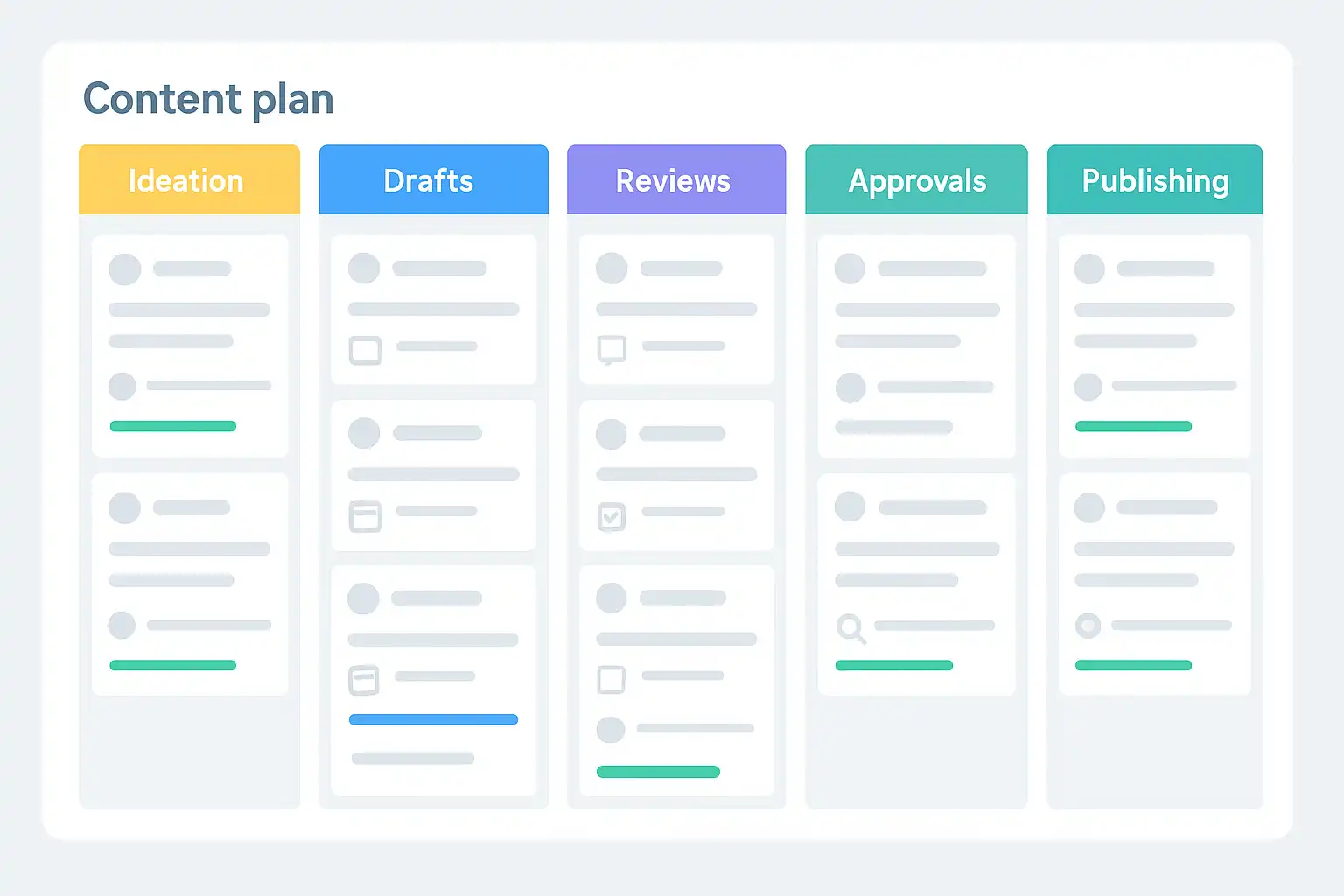
- Defined stages: Breaks down the content workflow into manageable steps (like ideation, drafting, editing, publishing, and tracking results).
- Roles and responsibilities: Specifies who does what, so there is no confusion.
- Timelines and deadlines: Keeps projects on track, reducing last-minute stress and bottlenecks.
- Visibility: Everyone can see the big picture, making it easy to adjust priorities or reassign tasks if needed.
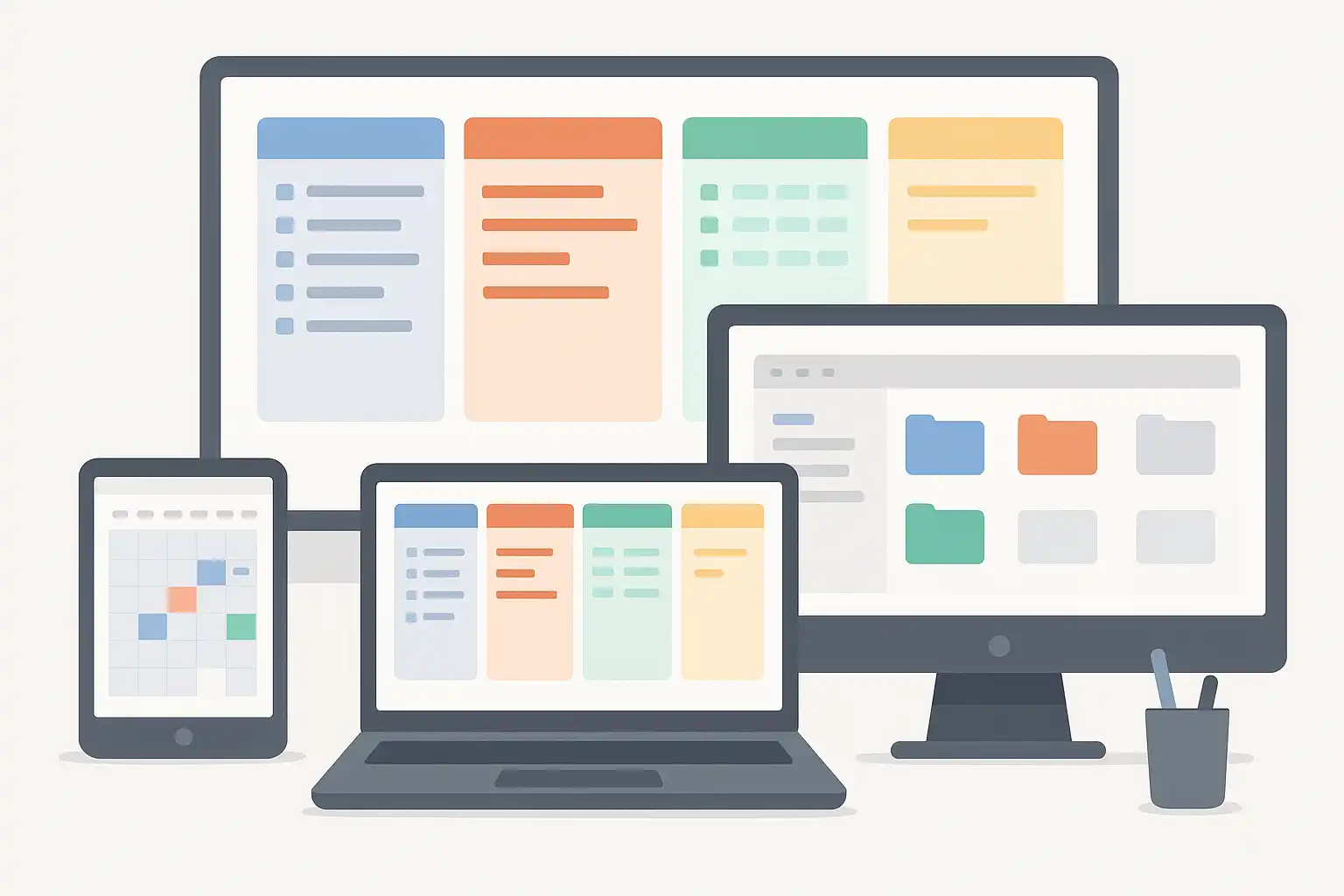
For example, a team using a shared Google Sheet or Trello board can quickly spot delays, resource gaps, or opportunities for collaboration. If you are new to structuring these processes, resources like content strategy guides can provide extra clarity on the foundational steps.

What key elements should be included in a content plan template for marketing teams?
To be effective, the template needs to be thorough, covering all aspects of content production but without becoming overwhelming. At its core, a high-quality content plan template for marketing team workflows will include the following essential elements:
- Deliverables list
This section lays out every piece of content required for the campaign or ongoing strategy, such as blog posts, social media updates, videos, whitepapers, or case studies. It should also note the format, audience, and platform for each asset. - Roles and responsibilities
Assign who is responsible for each stage of content creation: ideation, research, writing, editing, graphic design, approval, and publishing. Clear roles ensure ownership and accountability. - Content calendar
Details deadlines, publication dates, and key milestones. A calendar view makes it easy to plan ahead and avoid overlaps or missed opportunities. - Content briefs
For each deliverable, include a brief outlining the topic, goals, target audience, main keywords, tone, calls-to-action, and intended results. This helps writers and designers stay aligned with marketing objectives. - Workflow stages
Map out the lifecycle of content from ideation to publication and performance tracking. Typical stages include brainstorming, outlining, drafting, reviewing, editing, approving, publishing, and measuring results. - Key performance indicators (KPIs)
Define how you’ll measure success for each asset or campaign. Examples are page views, shares, conversion rates, or downloads. - Asset management
Provide links or references to shared folders, image libraries, or design assets. Easy access to visuals and data reduces friction.
Teams new to these concepts can benefit from reading content planning explained to understand the reasoning behind each element and how it impacts marketing workflow optimization.
Why structured workflow stages matter
Workflow stages help manage complexity, especially as your team or content output grows. A typical marketing content workflow may include:
- Ideation & Research
- Content Planning & Brief Creation
- Drafting & Outlining
- Review & Approval
- Design & Asset Preparation
- Publishing & Promotion
- Performance Measurement
- Audit & Optimization
Each stage can have its own process, checklist, and responsible team members. For example, the briefing stage ensures that a writer knows the audience and key messages, while the approval stage keeps content on-brand and free of errors. By mapping out these stages, the template reduces bottlenecks and helps teams deliver projects efficiently and consistently.
How does a content plan template help overcome common marketing workflow challenges?
Even the best marketing teams run into problems like missed deadlines, unclear responsibilities, and difficulty tracking progress across multiple campaigns. A good content plan template for marketing team workflows helps solve these challenges by creating transparency and structure.
Improved accountability and reduced burnout
When roles and deadlines are explicit in the template, team members know exactly what’s expected. This creates a sense of ownership and reduces confusion about who should do what. As a result, there’s less last-minute scrambling and lower risk of burnout.
Streamlined communication and collaboration
Templates often include built-in checklists, reminders, or comments sections—especially when using tools like Notion, Asana, or Trello. This makes it easier for team members to leave feedback, track changes, and address questions quickly. Instead of endless email threads, everything happens in one place.
If your team is moving from a basic approach to a more strategic one, exploring frameworks for entry level content strategy can help you implement practical solutions and avoid common mistakes in content workflow management.
Centralized resource management
Asset libraries, editorial guidelines, and content calendars all live within the template or in connected folders. When everyone can easily find previous assets, branding files, or campaign briefs, you minimize duplicated effort and streamline internal linking between related materials.
Performance tracking and optimization
Templates can integrate with analytics dashboards to capture key metrics, so your team can quickly see what’s working and what needs improvement. Regular reviews help refine your strategy and demonstrate the template’s ongoing value.
How can you customize a content plan template for your marketing team’s specific workflow?
No two marketing teams are identical. Your ideal content plan template should reflect your team’s unique goals, structure, size, channels, and project management style. The best templates are flexible and easy to adapt.
Here’s how you can tailor your template to optimize marketing team workflows:
- Pilot with a small project: Start by using the template on one campaign or series, then gather feedback from team members about what worked and what needs improvement.
- Get the right tools: Choose digital platforms that support your workflow, such as Airtable, Notion, Trello, or Google Workspace. Make sure everyone has access and receives training on how to use them.
- Customize briefs and checklists: Adjust the template’s sections to align with your company’s tone, style guide, and SEO needs. For example, add space for primary and secondary keywords or personalized calls-to-action.
- Integrate communication and feedback channels: Add columns or spaces for comments, tags, and status updates to keep feedback transparent and easy to follow.
- Centralize assets: Ensure that links to image libraries, design templates, and past campaigns are easy to find and consistently organized. This helps in efficient Simple B2B Content Strategy execution as well, especially in collaborative cross-functional teams.
- Review and update regularly: Meet with your team to make sure the template is still serving your needs as workflows evolve.
Adapting for hybrid or remote marketing teams
Modern teams often work across time zones and locations. A good template supports asynchronous collaboration and clear handoffs. Digital checklists, live status trackers, and automatic notifications help everyone stay coordinated, regardless of working hours or location. Tools like Notion and Airtable are especially useful for creating a living document that evolves with your team.
Tips for gaining buy-in and adoption
Templates are only effective when people use them. Involve your team in designing or refining your content plan template. Ask for feedback and make sure the template is practical, not just a theoretical exercise. Offer training sessions for new team members or as part of onboarding, and highlight the ways the template makes everyone’s job easier.

What are the top tools and formats for building a content plan template for marketing teams?
Content plan templates can be created in various formats, from simple spreadsheets to advanced project management dashboards. The right choice depends on your team size, technical comfort, and campaign complexity.
- Spreadsheets (Google Sheets, Excel): Ideal for small teams or simple workflows. Easy to customize and share, but can become unwieldy for complex projects.
- Project management tools (Trello, Asana, Monday.com, ClickUp): Offer structured boards, built-in notifications, and integration with other tools.
- Content collaboration platforms (Notion, Airtable, CoSchedule): Combine calendars, databases, task management, and asset libraries in one workspace. Suitable for growing teams with varied content types.
- Templates and plug-ins: Many tools offer pre-built templates or marketplace plug-ins to get started quickly. Look for ones tailored to marketing content planning and adapt them as needed.
Whichever format you choose, the core principles remain the same: clarity, collaboration, and adaptability. If you’re unsure which approach to start with, reading practical guides like content planning explained can help you make sense of your options and pick the right foundation.
How to measure the effectiveness of your content plan template
After implementing your template, it’s important to evaluate whether it’s truly improving your marketing team’s workflows. Here are a few methods for assessing impact:
- Monitor key KPIs: Are deadlines met more consistently? Has content quality improved? Do campaigns perform better?
- Survey your team: Ask for honest feedback. Is the template easy to use? Does it save time and reduce confusion?
- Audit process bottlenecks: If tasks stall at certain stages, tweak the workflow or add more clarity to those template sections.
- Review content analytics: Track performance metrics (like engagement, shares, conversions) to see if structured planning leads to better outcomes.
Continuous improvement ensures that your template evolves alongside your marketing goals and team structure.
Quick answers: content plan template for marketing team Q&A
- How does a content plan template streamline marketing team workflows?
By providing a clear structure and defined process stages, a content plan template organizes content creation. It outlines deliverables, timelines, and roles, making accountability clear and reducing the risk of burnout. The template breaks production into manageable steps like ideation, planning, brief creation, drafting, approval, publishing, and measuring results. Assigning specific tasks improves ownership, reduces delays, and keeps the team aligned throughout the content lifecycle. - What key elements should be included in a content plan template for marketing teams?
Essential components are a deliverables list, assigned roles and responsibilities, a content calendar, detailed content briefs, workflow stages, key performance indicators, and tools for communication and asset management. These ensure clarity, boost efficiency, and enable effective tracking from start to finish. - How can marketing teams customize a content plan template to boost collaboration and productivity?
Teams can tailor templates by selecting suitable project management tools (like Trello, Notion, Asana, or Airtable), establishing clear role assignments, and customizing briefs around brand tone or targeted keywords. Training and open communication are key, as is integrating shared asset libraries and internal linking to streamline content reuse and teamwork. - What are some practical steps for successful template adoption?
Start with a pilot project, involve the team in refining the template, offer training, and regularly review its impact. Use feedback to streamline processes and foster a culture where the template is seen as a helpful guide, not a bureaucratic hurdle.
Adopting a structured content plan template for marketing team workflows transforms how campaigns are managed, making collaboration easier, boosting efficiency, and supporting better results. By customizing your approach, leveraging the right tools, and focusing on continuous improvement, your team can consistently deliver high-quality content that drives measurable growth.

Related Posts