
Managing a consistent, high-quality social media presence without a content calendar is like navigating without a map. The right calendar does far more than organize posts — it aligns your content with business goals, keeps teams coordinated, and turns reactive, scattered posting into a strategic operation.
This guide covers everything: the essential features of a great content calendar, how to plan your entire year, which tools lead the field, how to keep your calendar flexible for real-time moments, and how to measure what’s working.
What features define the best social media content calendar?
A top-tier social media content calendar brings order to chaos. Here’s what separates the best options from basic scheduling tools:
- Multi-platform scheduling: Plan and schedule posts for Instagram, Facebook, LinkedIn, TikTok, X (Twitter), and Pinterest from a single dashboard.
- Detailed content fields: Each post entry should include date, time, platform, format (image, video, story, reel), content pillar, copy, visuals, hashtags, links, and assigned responsibility.
- Batch content creation: Prepare a week or month’s worth of posts at once, then automate publishing.
- AI-powered scheduling: Predict the best posting times and suggest content ideas based on audience behavior and past performance.
- Collaboration and approval workflows: Drafts, edits, and sign-offs happen inside the same tool — essential for teams across time zones.
- Centralized planning: See holidays, company events, and campaigns on one unified view, reducing last-minute rushes and content overlaps.
- Asset management: Store images, videos, and approved copy in one shared space for fast access and reuse.
- Flexible editing: Leave room for real-time or trending content — a good calendar lets you shuffle and reschedule without disrupting the whole plan.
- Analytics and reporting: Track engagement, reach, click-throughs, and conversions to continuously refine your strategy.
- Integrations: Connect with your design, content creation, and analytics tools without switching platforms.
These features are what transform a content calendar from a simple to-do list into a genuine strategic asset. For teams that want to understand how calendar planning fits into the broader picture, this guide to building an organized content workflow walks through how each piece connects.
How a content calendar improves your workflow
Implementing a content calendar transforms planning from a daily scramble into a strategic process:
- Consistency: Posts go live regularly, building audience trust and reinforcing your brand message.
- Goal alignment: Sync social media themes and campaigns with product launches, events, and seasonal trends.
- Reduced errors: Centralizing all posts makes it less likely to miss deadlines or accidentally publish duplicate content.
- Team coordination: Everyone knows who is responsible for what — no confusion, no last-minute chaos.
- Content gap detection: A visual overview quickly reveals areas that need more content or attention.
- Time zone management: Adapt your schedule to maximize impact for audiences and team members across geographies.
- Efficiency: Batch scheduling and AI recommendations save time, letting teams focus on creative storytelling and community engagement.
For those focused on building the kind of social media content that drives real results, these planning steps are what make the difference between sporadic wins and sustained performance.
How to plan your social media content schedule for the entire year
A year-long calendar feels overwhelming until you break it into manageable steps:
- Set your goals: Decide what you want to achieve — brand awareness, engagement, sales, community growth, or lead generation.
- Identify your channels: Choose platforms that matter for your audience. Focus on where your audience actually spends time rather than trying to be everywhere.
- Map out key dates: Mark product launches, holidays, campaign periods, and important company milestones before you plan any content.
- Choose your themes: Assign content pillars or themes for each month or quarter to keep storytelling focused and varied.
- Batch post planning: Draft content ideas, captions, and visuals in batches — this keeps the workflow efficient and reduces context-switching.
- Assign responsibilities: Clearly note who is creating, reviewing, and approving each piece of content.
- Schedule and automate: Use your calendar tool to schedule posts and automate publishing wherever possible.
- Reserve slots for trends: Keep some unscheduled slots open for last-minute or trending topics that emerge during the year.
- Track and review monthly: Analyze analytics at the end of each month to see what’s working and adjust your plan accordingly.
If you want a more detailed walkthrough of setting this up from scratch, this step-by-step content calendar guide covers each phase with practical examples.
Leading tools for social media content calendars
| Tool | Main Features | Best For |
|---|---|---|
| Hootsuite | All-in-one dashboard, AI automation, analytics, listening, publishing | Agencies, large teams, serious creators |
| Brandwatch | AI writing assistant, unified calendar, advanced analytics | Teams running multi-platform campaigns |
| Sprout Social | Detailed reporting, project integration, collaboration | Teams needing analytics depth |
| Planable | User-friendly interface, efficient approval workflows | Agencies and multi-stakeholder teams |
| Buffer | Simple scheduling, clean analytics, affordable | Small businesses and solo creators |
| Google Sheets | Free, customizable, shareable, trackable | Solo creators, small businesses, beginners |
| Wrike | Project management, workflow planning, approvals | Teams needing advanced processes |
| Miro | Visual brainstorming, campaign mapping | Creative agencies, ideation sessions |
| CapCut | Video editing optimized for social platforms | Brands focused on short-form video |
Hootsuite remains the most widely adopted platform, with over 18 million users globally and G2’s #1 ranking for social media management, analytics, listening, and advertising in its Fall 2025 reports. Google Sheets remains popular for its flexibility and zero cost. For many teams, a combination works best — for example, Google Sheets for planning and Buffer for scheduling.
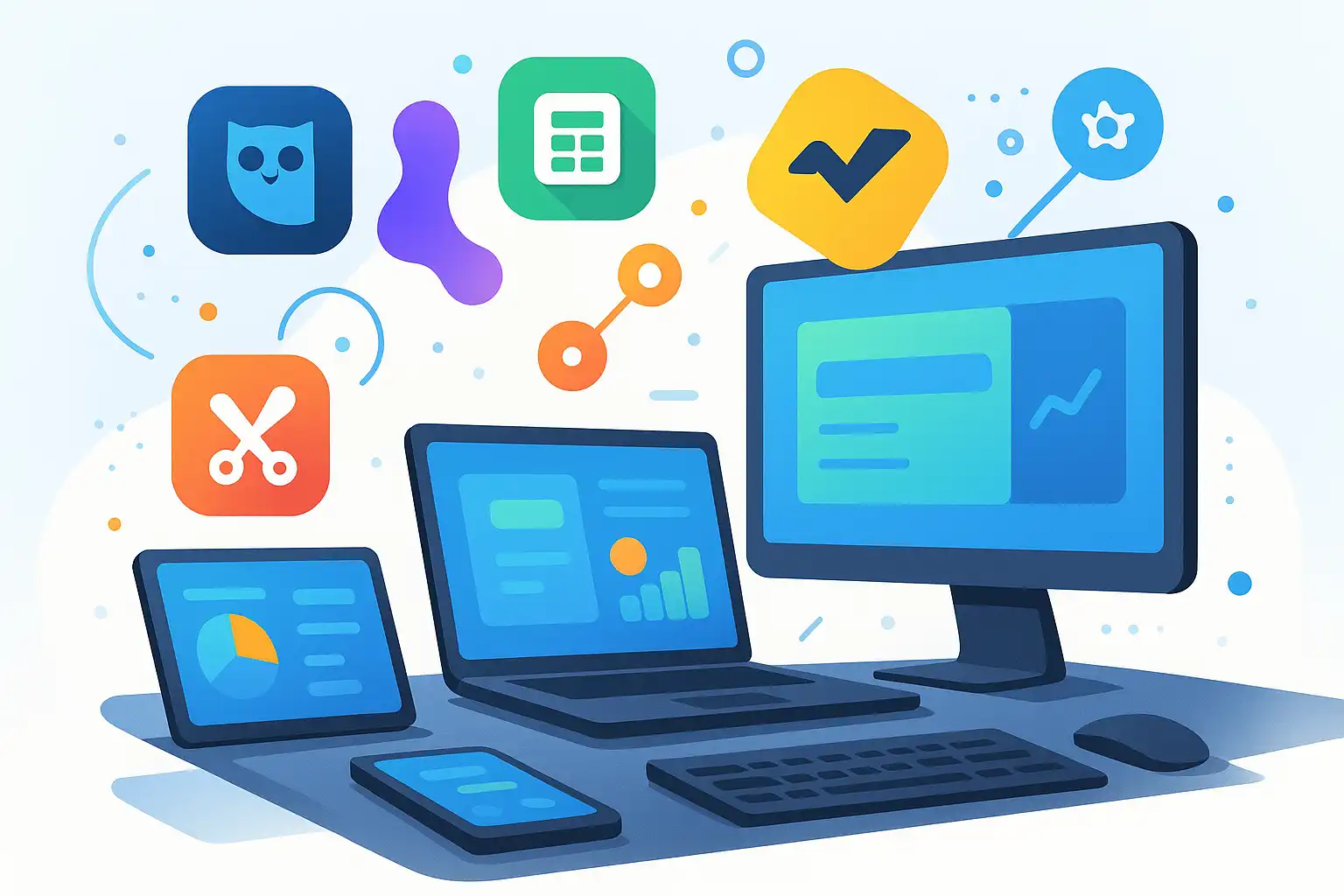
Pros and cons of content calendar tools
- Pros: Saves time through automation and batch scheduling; improves team communication and coordination; ensures consistent posting; enables data-driven decisions; centralizes assets, copy, and approvals.
- Cons: Paid tools can be expensive for small businesses; advanced platforms have a learning curve; some tools limit connected accounts on lower pricing tiers.
How AI and automation improve content calendars
AI-powered calendars are becoming the standard for good reason:
- Optimal posting time suggestions: Analyze audience behavior to recommend when to publish for maximum reach.
- Content idea generation: Suggest topics based on trending conversations or past performance.
- Automated reposting: Identify top-performing content and schedule it for re-sharing at the right time.
- AI writing assistance: Tools like Brandwatch’s Iris Writing Assistant help draft captions and copy faster.
- Workflow automation: Notifications, reminders, and approval routing happen automatically, reducing manual follow-up.
How to keep your calendar flexible for trends and real-time moments
The best content calendars balance planning with agility:
- Monitor trends daily. Use social listening tools or check trending topics to spot emerging conversations in your industry.
- Reserve unscheduled slots. Leave a few open spots each week for newsjacking, trending content, or spontaneous moments.
- Streamline approval for urgent content. Have a fast-track process for last-minute content that can’t wait for the standard workflow.
- Check analytics in real-time. Review post performance soon after publishing and adjust upcoming content to capitalize on momentum.
- Empower creativity. Let team members bring spontaneous ideas without bureaucracy slowing things down.

How to get your team onboard with a new content calendar
Introducing a new system takes preparation:
- Communicate the benefits: Explain how the calendar saves time, reduces stress, and improves results.
- Offer hands-on training: Walk-throughs, tutorial videos, and practice sessions accelerate adoption.
- Assign clear roles: Ensure everyone knows their responsibilities for creating, reviewing, and approving content.
- Gather feedback: Ask for input and be willing to adjust the workflow based on what you learn.
- Celebrate improvements: Acknowledge efficiency gains, quality improvements, or engagement increases after adopting the new system.
How to measure content calendar success
Review these metrics monthly:
- Engagement rate: Likes, comments, shares, and saves as a percentage of followers
- Reach and impressions: How many people see your content
- Click-through rate: How many users follow your links
- Follower growth: Steady increase in relevant audience size
- Conversion rate: Sign-ups, downloads, or purchases resulting from social content
- Content gap analysis: Are there weeks or platforms with noticeably lower performance?
Use built-in platform analytics combined with your calendar tool’s reporting to spot trends, identify what’s working, and refine your strategy each month.
Choosing the best social media content calendar is crucial if you want to manage your brand, business, or creative project with consistency and impact. The right content calendar does more than organize posts—it helps you plan ahead, stay aligned with your marketing goals, and measure your results. In this article, you’ll discover what makes a content calendar effective, which leading tools truly stand out, and how to set up a workflow for success in 2025 and beyond.
What features define the best social media content calendar for 2025?
The best social media content calendar for 2025 is designed to meet the demands of a fast-changing digital world. It brings organization to chaos, turning spontaneous and scattered posting into a coordinated strategy. Let’s break down the essential features that set the top calendars apart:
- Multi-platform scheduling: Plan and schedule posts on all your networks, like Instagram, Facebook, LinkedIn, TikTok, X (Twitter), and Pinterest, from one dashboard.
- Detailed content fields: Each post should include the date, time, platform, format (image, video, story, etc.), content pillar, copy, visuals, hashtags, relevant links, and assignment of responsibility.
- Batch content creation: Allow teams or solo creators to prepare a week or month’s worth of posts at once, then automate publishing.
- AI-powered scheduling: Some tools now predict the best posting times and suggest content ideas using artificial intelligence, increasing reach and engagement.
- Collaboration and approval workflows: Teamwork is easier when drafts, edits, and approvals happen within the same tool, especially for organizations across different time zones.
- Centralized planning: See holidays, company events, and campaigns on one unified calendar, reducing last-minute rushes and overlaps.
- Flexible editing: A good calendar leaves space for real-time or trending content, letting you shuffle or reschedule without hassle.
- Analytics and reporting: Measure performance with metrics like engagement, reach, click-throughs, and conversions, so you can refine your strategy as you go.
- Integrations: Connects smoothly with your favorite design, content creation, and analytics tools.
For brands, agencies, and solo entrepreneurs alike, these features help create a process that’s clear, efficient, and adaptable. If you want to learn more about crafting a winning content strategy, you can find guides that explain these steps in depth.
How does a content calendar improve your social media workflow?
Implementing the best social media content calendar transforms content planning from a daily scramble into a strategic journey. Here’s how it benefits individuals and teams:
- Consistency: Planning in advance ensures that posts go live regularly. This builds trust with your audience and keeps your brand message clear.
- Alignment with business goals: You can sync your social media themes and campaigns with product launches, events, or seasonal trends.
- Reduced errors: By centralizing all your posts and campaigns, you’re less likely to miss deadlines or accidentally post similar content twice.
- Team coordination: Everyone knows who is responsible for what, reducing confusion and last-minute stress.
- Time zone management: No matter where your team members or audiences are, you can adapt your schedule to maximize impact.
- Content gap detection: By viewing your schedule at a glance, you’ll quickly spot areas that need more content or attention.
- Efficiency: Features like batch scheduling and AI-powered recommendations save time, allowing you to focus on creative storytelling or community engagement.
When you combine these benefits, your social media presence becomes more intentional and effective, ultimately driving better engagement and results. For those who want to focus on effective social media content, these planning steps are crucial.
Which tools are the top choices for social media content calendars in 2025?
With so many solutions available, choosing the right tool depends on your needs, team size, and budget. Here are the platforms leading the way in 2025:
| Tool | Main Features | Best For |
|---|---|---|
| Hootsuite | All-in-one dashboard for planning, scheduling, publishing, engagement, analytics, listening, AI automation | Agencies, large teams, serious creators |
| Google Sheets | Customizable templates, shareable, trackable, free for most uses | Solo creators, small businesses, those new to content calendars |
| Wrike | Project management, workflow planning, team collaboration | Teams needing advanced approval and project processes |
| Miro | Visual brainstorming, mapping campaigns, collaborative whiteboards | Creative agencies, ideation sessions, content planning workshops |
| CapCut | Video editing, especially TikTok and social video creation | Brands focused on short-form video content |
Among these, Hootsuite is often chosen for its deep integrations and AI capabilities, which help automate scheduling and analytics. Google Sheets remains popular for its flexibility and zero cost. Wrike and Miro provide structure and creative space when collaboration is central. CapCut supports video creators, a must-have for modern social media calendars.
How can you plan your social media content schedule for the entire year?
Getting started with a year-long social media content calendar may feel overwhelming, but a step-by-step approach makes it achievable. Here’s how you can create a clear, actionable schedule:
- Set your goals: Decide what you want to achieve, such as brand awareness, engagement, sales, or community growth.
- Identify your channels: Choose which platforms matter for your audience—for example, Instagram, TikTok, LinkedIn, or X.
- Map out key dates: Mark product launches, holidays, campaign periods, and important company milestones.
- Choose your themes: Assign content pillars or themes for each month or quarter to keep storytelling focused.
- Batch post planning: Draft content ideas, captions, and visuals in batches. This helps keep the workflow efficient.
- Assign responsibilities: Clearly note who is creating, reviewing, and approving each post.
- Schedule and automate: Use your calendar tool to schedule posts and automate publishing whenever possible.
- Leave room for trends: Reserve some slots for last-minute or trending topics that arise during the year.
- Track performance: Review analytics each month to see what’s working and adjust your plan as you go.
If you prefer a more guided experience, using a Content Calendar Guide can help clarify the process, ensuring each task is completed smoothly.
Content calendar templates: Do you need one?
Many professionals start with a template, whether it’s in a spreadsheet, project management tool, or specialized calendar app. Templates save time by providing a layout for each post’s details, key dates, and campaign summaries. Most tools, including Google Sheets and Hootsuite, offer free templates or customizable options. The real value is in adapting the template to fit your unique needs, workflows, and branding style.
AI and automation in content calendars: How do they help?
AI-powered content calendars are quickly becoming the standard. They suggest optimal posting times by analyzing audience behavior and even help generate content ideas based on trending topics or past performance. Automation goes further by handling repetitive tasks, such as reposting top-performing content or adjusting the schedule if a post is delayed. This blend of smart insights and workflow shortcuts allows teams to focus on creativity and strategy, not just logistics.
What are the pros and cons of the leading social media calendar tools?
No tool is perfect for everyone. Here’s a brief look at what you can expect from popular calendar solutions:
- Hootsuite: Pros—Comprehensive features, reliable analytics, and excellent team functions. Cons—Cost can be high for small businesses; interface may seem complex for beginners.
- Google Sheets: Pros—Free, universally accessible, easy to customize. Cons—No built-in automation or analytics; more manual work needed for scheduling and reporting.
- Wrike: Pros—Advanced workflow management, seamless team collaboration. Cons—Steeper learning curve; may be too robust for very simple needs.
- Miro: Pros—Supports creative brainstorming, visual mapping. Cons—Not built for actual scheduling or publishing; works best as a planning supplement.
- CapCut: Pros—Powerful, user-friendly video editor; streamlines video content for social platforms. Cons—Primarily focused on video, not campaign planning or analytics.
When choosing a platform, consider your priorities: Is automation key? Do you want built-in analytics? Are you working solo or as part of a large team? The answers will guide your decision, and for some, a combination of tools works best.
Keeping your calendar flexible: Why does it matter?
Even the best social media content calendar must allow for change. Social media is dynamic, with trends emerging overnight and audience interests shifting fast. Leaving open spaces in your schedule helps you act quickly—whether you’re responding to breaking news, joining viral conversations, or experimenting with new content formats. Flexibility also ensures your workload is manageable and that your content stays fresh and relevant.
How do analytics and reporting support continuous improvement?
Every content calendar should feature strong analytics. By regularly reviewing metrics like engagement rates, reach, click-throughs, and conversions, you’ll see which posts resonate and when your audience is most active. Many advanced tools generate visual reports automatically, helping you spot trends and gaps. Armed with these insights, you can fine-tune your content plan month after month, resulting in smarter investment of time and resources.
If you are searching for advanced planning options, you might consider the Best Social Media Planning Tool to help streamline analytics and scheduling in one place.
How to get your team onboard with a new content calendar?
Introducing change can be challenging, especially for larger organizations. Here’s how to ensure everyone is on the same page with a new content calendar system:
- Communicate the benefits: Explain how the calendar will save time, reduce stress, and improve results.
- Offer training: Hold walk-through sessions, share tutorial videos, or provide hands-on practice.
- Assign clear roles: Make sure everyone knows their responsibilities for creating, reviewing, and approving content.
- Encourage feedback: Ask team members for suggestions and be willing to adjust the workflow as needed.
- Celebrate wins: Acknowledge improvements in efficiency, quality, or engagement after adopting the new system.
Change is easier when the value is clear and the transition is organized. Over time, your team will adapt and even appreciate the structure a strong content calendar brings.
How can you adapt your content calendar for trends and real-time moments?
To truly excel in 2025, your social media content calendar must be more than a static plan. It should empower you to catch new opportunities as they arise. Here are some strategies for staying agile:
- Monitor trends: Use social listening tools or check trending topics daily to spot emerging conversations in your industry.
- Reserve slots for fresh content: Leave a few unscheduled posts each week for newsjacking or timely campaigns.
- Streamline approval processes: Make it easy for team members to suggest or approve last-minute content ideas.
- Use analytics in real-time: Check post performance soon after publishing, and adjust future content to capitalize on what’s hot.
- Encourage creativity: Empower your team to experiment and bring spontaneous ideas to the calendar without bureaucracy slowing things down.
Balancing a planned schedule with room for real-time engagement is one of the hallmarks of an advanced content marketing operation.
What is a content pillar, and why does it matter in a social media calendar?
- A content pillar is a central theme your posts focus on — e.g. tutorials, company news, or testimonials
- Assigning pillars keeps your messaging balanced and relevant
- Makes brainstorming easier and ensures variety across your plan
Should I use one calendar for all platforms, or separate ones for each?
- One master calendar is recommended — it gives a complete overview of your content plan
- Helps prevent overlaps or gaps across channels
- Most tools let you filter by platform for easy per-channel review
How often should I review and update my social media content calendar?
- Monthly reviews work well for most businesses — check analytics and spot improvements
- Fast-moving industries may benefit from weekly check-ins
- Regular reviews help you pivot quickly and stay aligned with business goals
Is a paid content calendar tool necessary for small businesses?
- Not always — Google Sheets with free templates can handle simple needs
- Paid tools become useful when you need automation or advanced reporting
- The best choice depends on your budget and strategy complexity

Related Posts