Choosing the best social media content planner for busy teams can be overwhelming. With so many tools out there, what matters most is finding a planner that makes collaboration easy, saves time, and keeps your social channels active and engaging. For teams juggling multiple platforms, deadlines, and content types, a robust planner is not just convenient—it’s essential for success. Let’s cut through the noise and look at what truly matters for fast-paced teams, so you can start streamlining your workflow now.
What features do busy teams need in the best social media content planner?
Busy teams need more than just a basic posting calendar. To stay ahead, they should prioritize tools featuring multi-platform management, flexible scheduling, and real-time collaboration. These essential features allow everyone to contribute and stay in sync—whether the team is in one office or spread across the globe. Imagine a planner where every member can see what’s scheduled, suggest edits, and approve content quickly. This not only saves time but also prevents mistakes like duplicate posts or missed opportunities.
A top-notch social media content planner should support all popular content formats—images, videos, links, and features like alt text and tagging. Teams often need to plan posts around specific events or key times when their audience is most active. Having automatic suggestions for the best posting times based on analytics helps reach more people. Built-in analytics are also crucial. Tracking metrics like likes, shares, comments, and click-throughs helps teams understand what’s working and shape future campaigns.
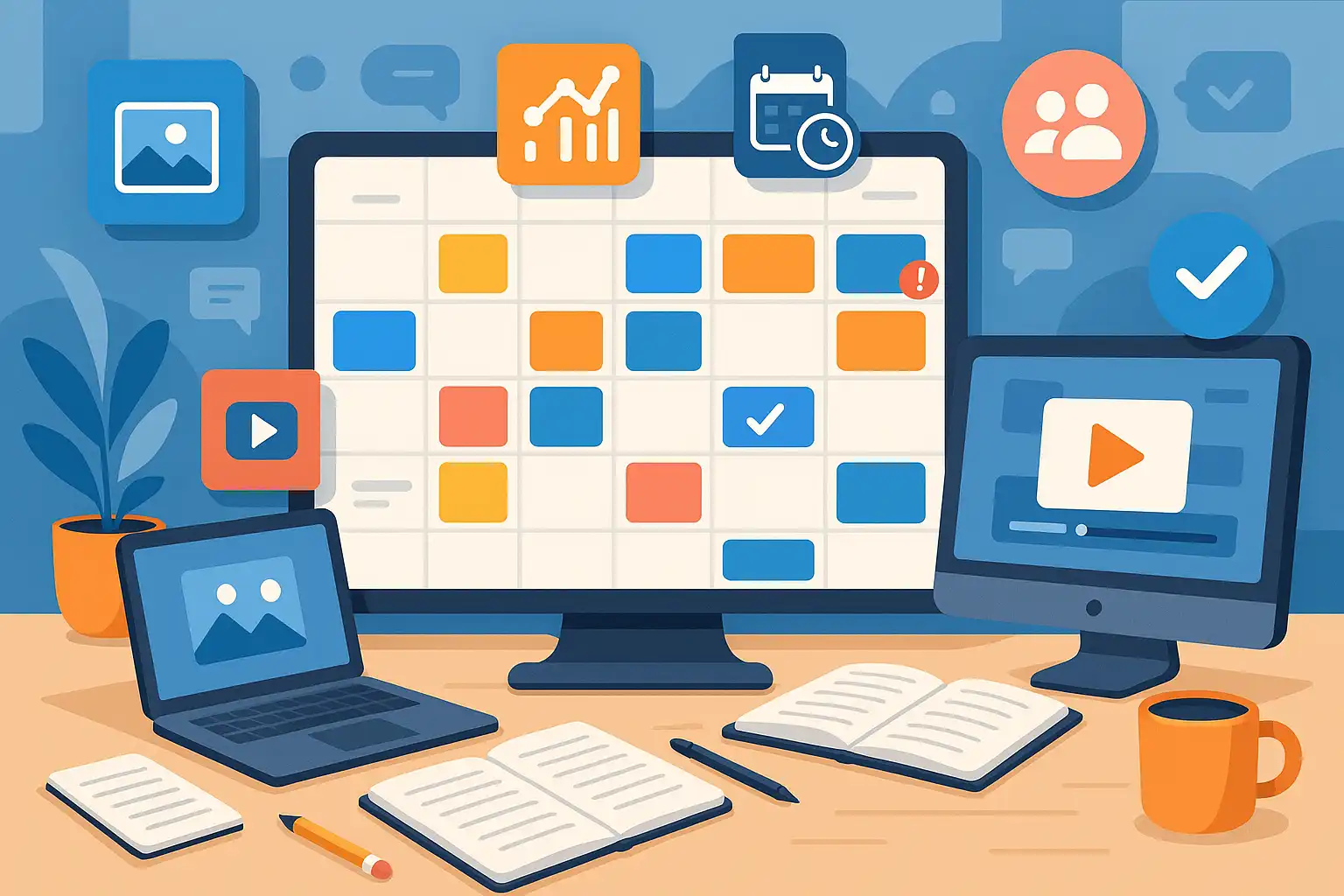
For a busy team, strong asset management is a game changer. Storing images, videos, and approved copy in one place allows for fast access and fewer repetitive tasks. Plus, a content calendar that visually maps out posts—showing status, assigned team members, and progress—makes it easier to spot gaps, overlaps, or bottlenecks. Features such as AI-powered writing assistants can also help speed up copy creation, while batch scheduling lets teams set up a week or month of posts in just a few clicks.

How does a social media content planner streamline workflow and boost collaboration?
A content planner designed for teams is more than a calendar; it’s a hub for teamwork. First, it allows everyone to plan, draft, review, and schedule posts in one place, reducing last-minute scrambles. Shared calendars provide visibility into what’s coming up, let team members assign roles, and prevent overlooked tasks. Integration with project management apps further helps keep everyone on track without switching tools.
When posts for various platforms—like Instagram, Facebook, and Twitter—are managed in a single dashboard, teams spend less time copying and pasting and more time refining their strategy. Instead of jumping between channels, planners often provide features to tailor posts for each network, respecting character limits and image sizes automatically. This centralized approach means every post fits its platform, boosting engagement and saving time.
Consider the value of automation: batch scheduling, approval workflows, and reminders reduce manual work and help maintain a regular posting rhythm, even during busy periods. Collaboration tools like in-app comments, tagging, and notifications keep communication direct—no more endless email chains or confusing spreadsheets. This ensures fast feedback, quick approvals, and fewer delays.
Benefits of using a collaborative content planner
- Consistent Posting: Scheduled posts ensure no gaps in your publishing calendar, keeping your audience engaged.
- Centralized Assets: Teams can store images, videos, and text in one shared space for easy reuse.
- Clear Roles: Assign tasks like drafting, reviewing, and publishing to the right team members, so everyone knows their responsibilities.
- Performance Insight: Real-time analytics provide feedback on what works, helping you adapt strategies quickly.
Which tools are the best social media content planners for busy teams?
Among the popular options, Brandwatch is often praised by professionals for its robust features. Its Iris Writing Assistant uses AI to help craft quick, effective messages. The tool’s unified calendar supports easy scheduling across multiple channels, and advanced analytics track key metrics like Reach, Impressions, and Engagement. For teams focusing on multi-platform campaigns, this kind of all-in-one approach is invaluable.
Sendible and Planable are also standout choices. Sendible’s flexible scheduling and asset management tools are designed with teams in mind. Planable is known for its user-friendly interface and efficient approval workflows, making it ideal for agencies or companies with multiple stakeholders. Each offers solutions for batch scheduling, real-time collaboration, and analytics—allowing teams to measure success and adjust strategies without missing a beat. These planners are paid tools but often offer flexible pricing to match team sizes and needs.
Some teams may also consider Sprout Social or Buffer, which provide similar benefits, including detailed reporting and project integration. The choice comes down to which features your team values most: automation, analytics, or collaboration. For a deeper dive into content strategy and how these tools fit into a broader workflow, it’s worth exploring dedicated resources and guides.
Key features to compare when choosing a planner
- Multi-Platform Scheduling: Can you easily post to all your social channels in one go?
- Collaboration Tools: Does the planner allow for feedback, edits, and approvals within the platform?
- Content Calendar: Is the calendar visual and easy to update?
- Analytics: Are metrics clear and detailed enough for your needs?
- Asset Management: Can your team store and share visual and written content?
- AI & Automation: Are there tools to speed up copywriting and routine scheduling?
Why is a team-focused content calendar important?
A team collaboration social media content calendar is vital for keeping everyone on the same page. By mapping campaigns, key dates, and content formats, the planner acts as a single source of truth. This reduces confusion, helps teams avoid duplicate work, and keeps the quality of posts high, even when multiple people are involved. Transparency around who is responsible for each post and when it goes live helps teams plan resources, reduce stress, and deliver consistent content that supports business goals.
Especially when scaling up campaigns, a shared calendar lets teams spot potential problems early and adapt quickly—whether it’s a sudden shift in priorities or feedback from leadership. When everyone can see the bigger picture, they’re more likely to stay engaged and motivated. For background on how these calendars are structured, reading content planning explained can help teams grasp the basics and set a solid foundation.
Examples of effective team content calendars
- Color-coded campaigns for different products or events
- Columns for drafts, reviews, and published posts
- Tags for post type (video, blog, announcement, etc.)
- Deadlines and reminders for each stage of the process

What are the pros and cons of social media content planners?
| Pros | Cons |
|---|---|
|
|
For beginners, starting with a simple planner is best. As the team grows, tools with more options for automation, analytics, and asset management become worthwhile investments. Explore a comprehensive content strategy guide for step-by-step support in making the switch.
FAQs
How can teams measure the return on investment from a social media content planner?
Teams can look at analytics built into the planner, tracking metrics such as engagement rates, audience reach, shares, and conversions. By comparing results before and after using the planner, it’s possible to quantify gains in efficiency and see if content goals are being met. Over time, these insights help refine strategy and justify spending on advanced features.
Can content planners adapt to different types of industries?
Yes, the best social media content planners are flexible enough for industries ranging from retail and hospitality to education and healthcare. Customizable templates and tagging help teams adapt workflows, while batch scheduling and integrated analytics support niche needs. For ideas on matching campaigns to specific goals, see resources on effective social media content.
Is it worth upgrading from a free to a paid content planner?
For individuals, free tools may be enough, but busy teams benefit from premium planners. Paid versions usually provide more advanced scheduling, better analytics, and enhanced collaboration options. For teams managing multiple brands or platforms, these features quickly pay off by saving time and improving results.