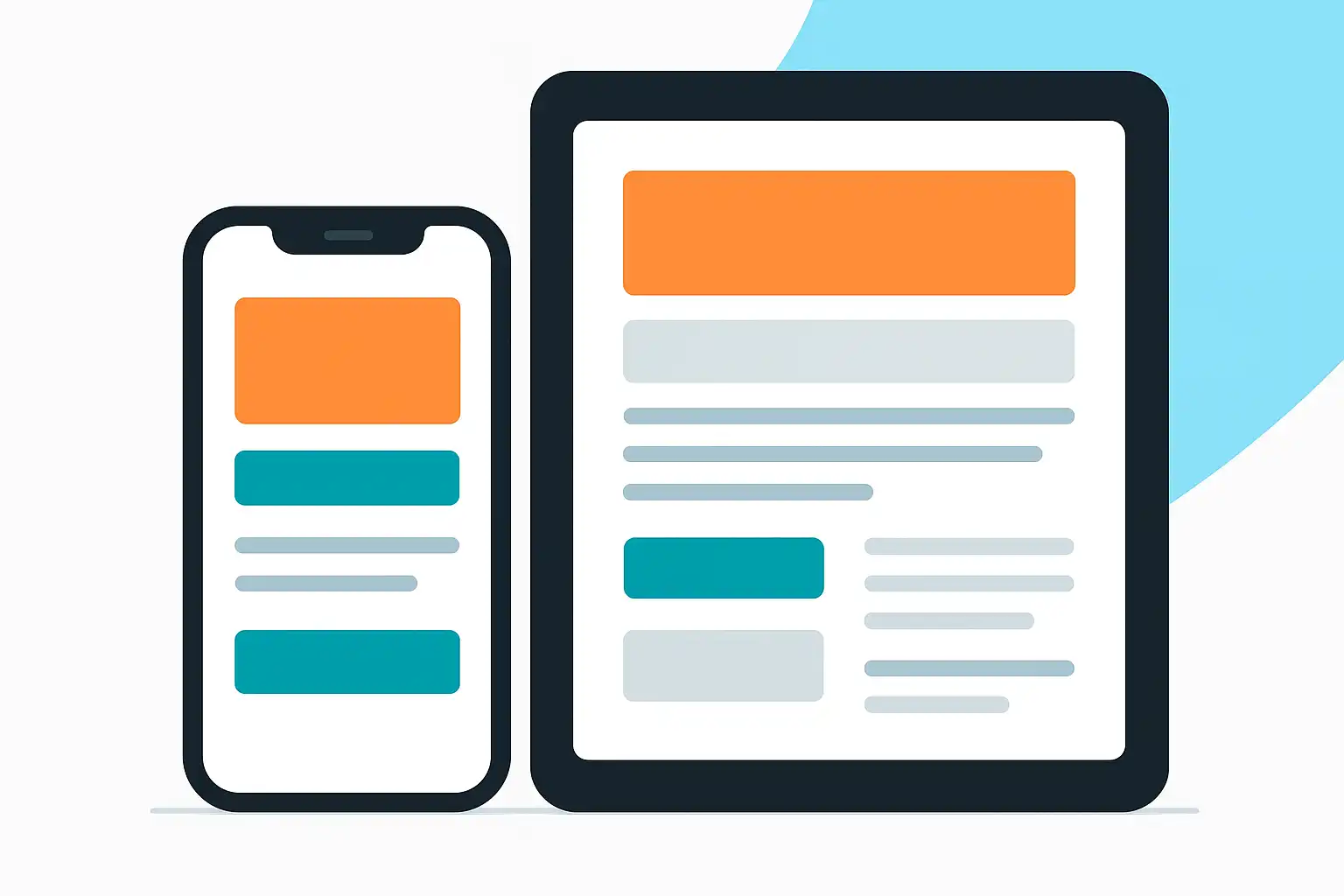
Reaching today’s always-on digital users means understanding the details of content for mobile audiences targeting. The key question is: how do you create content that truly works for people browsing on smartphones and tablets? The answer is simple but powerful: prioritize speed, clarity, and user experience. In this guide, you’ll find practical ways to ensure your content reaches, engages, and converts mobile users.
What Does It Mean to Target Content for Mobile Audiences?
Targeting content to mobile audiences refers to designing and delivering information that fits their habits, needs, and expectations. People on smartphones read differently, interact faster, and often multitask. Mobile screens are smaller, connections vary, and attention spans are shorter. That’s why mobile content must be easy to read, quick to load, and simple to act on.
When planning your content for mobile audiences targeting, the essential elements are:
- Fast load times: Mobile users don’t wait for slow pages. Optimize images and scripts for speed.
- Concise, clear messaging: Get to the point. Use simple language that’s easy to scan.
- Mobile-friendly formatting: Use short paragraphs, large fonts, and enough white space.
- Easy navigation: Touch-friendly menus, buttons, and links help users get what they need quickly.
- Optimized visuals: Ensure images and videos display well, even on small screens.
- Obvious content hierarchy: Headlines and subheadings should tell users what’s most important.
These fundamentals shape your approach, whether you’re building a news article, e-commerce listing, or explanatory guide. Brands such as Apple, Google, and WhatsApp constantly update their platforms with the mobile user’s experience in mind, showing how vital these principles are in practice.
How Can You Optimize Content Layout and Design Specifically for Mobile Users?
Layout and design deeply influence whether someone stays or leaves your site. To successfully target your content for mobile audiences, design must be both beautiful and functional. Responsive design is the foundation—this means your content automatically adjusts to fit any screen size, from the latest smartphone to an older tablet.
Practical steps to optimize your content layout and design include:
- Use a responsive framework: Frameworks like Bootstrap help your content adapt to every device.
- Choose single-column layouts: This keeps information easy to follow and avoids frustrating sideways scrolling.
- Prioritize tap-friendly elements: Make buttons and links big enough for thumbs, with space around them.
- Limit graphics and animations: Too many images or fancy motions slow down pages and create distractions.
- Guide the eye with hierarchy: Headlines, subheadings, and bold sections make scanning easier on mobile.
- Shorten text per screen: Break up long sections—users will scroll, but they won’t want to squint at crowded content.
By following these design strategies, you increase readability and give users a smooth experience. For instance, e-commerce giants like Amazon make sure their product pages are easy to read and navigate on phones, using large buttons and plenty of space. Similarly, companies that publish news articles use clear headlines and summaries to help users grasp the story in seconds.
Which Strategies Improve Engagement and Readability on Mobile Devices?
Even well-designed content can fall flat if it does not hold a user’s interest or is hard to digest. To improve engagement and readability for mobile audiences, there are a few proven strategies that you can put into action:
- Short paragraphs and bullet points: Present information in bite-sized pieces so users can absorb it quickly.
- Compelling headlines and subheadings: Use meaningful titles that help users find what matters most.
- Mobile-optimized multimedia: Add images and videos that are compressed for quick loading and can be easily viewed on small screens.
- Sharing and interaction features: Make it simple for users to share, comment, or save content with one tap.
- Fast page speed: Performance tools like Google PageSpeed Insights can show where to cut delays and streamline your site further.
- Personalized experiences: Tailor content based on location, previous behavior, or interests.
- Clear calls to action (CTAs): Use simple prompts like “Call Now,” “Learn More,” or “Buy Today” to drive user behavior.
For example, if you’re sharing tips or advice, using a quick list is more effective on mobile. If you’re displaying products, a gallery that users can swipe through provides an engaging experience. Leading brands routinely test and refine their mobile content to increase clicks, shares, and conversions.
Why Is Fast Loading Vital for Mobile Content?
Fast loading is essential for content for mobile audiences targeting because it directly impacts user satisfaction and search visibility. Research shows that most users will leave a page if it takes more than three seconds to load. Slow sites not only frustrate visitors but can also rank lower in search results.
To improve speed:
- Compress images and use modern formats like WebP.
- Reduce file sizes for scripts and stylesheets.
- Rely on browser caching to cut repeated download times.
- Use content delivery networks (CDNs) to bring data closer to users.
- Minimize redirects and avoid heavy plugins.
The faster your pages load, the better your chances of keeping users engaged. This is especially important for busy audiences in regions where mobile networks may not always be high-speed or reliable. Brands like Google and Facebook invest heavily in performance optimization to ensure their platforms are responsive worldwide.

How Do You Write for Mobile Audiences Without Losing Clarity?
Writing for mobile audiences means simplifying without dumbing down your content. Short sentences, clear structure, and familiar words build trust and keep users engaged. Avoid jargon and technical terms unless necessary, and always explain them the first time they appear.
Follow these writing tips:
- Lead with the main idea in the first sentence or two.
- Break information into digestible chunks, using lists or sections.
- Use active voice: “Download the app” instead of “The app can be downloaded.”
- Highlight key points in bold or italics for quick scanning.
- Keep paragraphs to 2-4 sentences each.
- Remove unnecessary words and redundancies.
For example, instead of saying, “Our mobile platform offers a plethora of innovative solutions for users across multiple markets,” say, “Our app helps you shop faster and find deals wherever you are.” This approach also improves accessibility for users with visual impairments, as screen readers can navigate simple and clear language more easily.
What Are Common Mistakes in Mobile Content Targeting?
Even with good intentions, it’s easy to make mistakes when creating content for mobile audiences targeting. Recognizing and fixing these errors will help your message reach more people effectively.
- Ignoring mobile responsiveness: Content that looks good on desktop might be unreadable on a phone.
- Overloading pages with heavy media: Large images or videos can slow down load times and waste users’ data.
- Using small fonts or crowded layouts: Tiny text and little white space make content hard to read.
- Burying calls to action: If users can’t find buttons or forms without scrolling, you’ll lose conversions.
- Not testing on different devices: What looks fine on an iPhone may break on an Android or tablet.
- Lack of personalization: Generic content is less likely to resonate with mobile users seeking relevance.
Learning from these pitfalls, successful brands often publish guides showing mobile content examples that address real user needs, adjusting layout and formats for the best results.
How Can You Track and Measure Success with Mobile Audiences?
Tracking performance is essential for content for mobile audiences targeting. Measurement helps you see what’s working—and what is not—so you can adjust your approach.
Here are the best practices:
- Use analytics tools: Platforms like Google Analytics, Hotjar, and Mixpanel show how users engage with your mobile content.
- Monitor metrics: Watch for bounce rate, average session duration, page views per visit, click-throughs, and conversion rates.
- Run A/B tests: Try different headlines, images, or layouts to discover what your audience likes most.
- Collect user feedback: Short surveys or polls can reveal why people stay—or leave.
- Track loading times: Measure with tools such as PageSpeed Insights or Lighthouse to ensure your content remains fast.
For brands focusing on specific networks or communities, analyzing user activity on platforms like LinkedIn is valuable. For instance, if you are looking to reach professionals, reviewing Content for Mobile Audiences on LinkedIn can inspire new ways to engage mobile users in business contexts.
What Tools and Technologies Help Create Better Mobile Content?
You don’t need to be a developer to improve your content for mobile audiences targeting, but the right tools make a big difference. Here are some useful options:
- Responsive design builders: Wix, WordPress, and Squarespace offer mobile-friendly templates.
- Image compressors: TinyPNG and Squoosh shrink images without losing quality.
- Page speed testers: Google PageSpeed Insights and GTmetrix analyze and suggest fixes for performance issues.
- A/B testing tools: Optimizely and Google Optimize let you experiment with design and content.
- Content delivery networks (CDNs): Cloudflare and Amazon CloudFront help deliver content quickly worldwide.
For those producing video content, optimizing for mobile is key. If you want to improve video performance, reviewing articles like YouTube mobile watch time tips can help you learn how to keep audiences engaged on the go.
How Should You Approach Content for Different Mobile Platforms?
Not all mobile devices are the same. Android, iOS, and tablets each have their quirks. To fine-tune your approach:
- Test across devices: Preview your content on as many device types as possible.
- Use platform guidelines: Follow Apple’s Human Interface Guidelines and Android’s Material Design for best results.
- Adjust images and videos: Crop or resize for different screen ratios.
- Check feature compatibility: Some interactions (like swiping) work differently across platforms.
- Stay up to date: Monitor OS updates that can affect layouts or user experience.
This attention to platform differences ensures your content always feels native to the user’s device. Global brands, including media outlets and social networks, prioritize this kind of detailed testing before launching any campaign.
What Role Does Accessibility Play in Mobile Content Targeting?
Accessibility is about making content usable for everyone—including people with disabilities. Good mobile content pays close attention to:
- Text size and contrast: High contrast and readable fonts help all users.
- Alt text for images: Describes visuals for users relying on screen readers.
- Keyboard navigation: Interactive elements should be usable without a mouse.
- Voice controls: Many mobile devices support voice navigation—ensure your content responds correctly.
- Clear structure: Logical headings and consistent layout assist people with cognitive differences.
Poor accessibility means lost opportunities and, in many markets, can result in legal challenges. Following accessibility guidelines is not just responsible—it’s smart business.

How Can Personalization Boost Mobile Content Performance?
Personalization means showing users content that matches their interests and needs. On mobile, this could be location-based offers, content based on recent activity, or language preferences. For example, businesses targeting travelers may provide visa information tailored to the user’s country and language. Personalization tools like HubSpot, Salesforce, and Adobe Target help automate this process for large sites. When done well, personalization increases engagement and loyalty.
What Are the Essential Steps for a Mobile Content Audit?
Regularly reviewing your mobile content keeps your strategy current:
- Inventory your content: List all pages, articles, and media targeting mobile.
- Check performance metrics: Identify slow or unpopular pages using analytics tools.
- Review design and layout: Fix elements that break or look awkward on small screens.
- Update outdated material: Refresh information and remove anything no longer accurate.
- Test navigation and CTAs: Make sure all buttons, forms, and menus work on current devices.
- Solicit feedback: Ask real users for their input and suggestions for improvement.
Brands embracing this audit approach are more likely to retain loyal mobile users, especially as new phones and technologies emerge regularly.
FAQ
What are the most important features of effective mobile content?
Effective mobile content loads quickly, is easy to read, and has a clear structure. Key features include large touchable elements, concise messages, well-organized sections, and accessible design. All visuals should be optimized for small screens, and navigation should be intuitive. Prioritizing these features ensures users can enjoy and interact with your content without frustration.
How can I make sure my content stands out on mobile devices?
To make your content stand out, focus on strong headlines, use eye-catching images, and keep your message short and relevant. Adding interactive elements—a quiz, video, or poll—can boost interest. Test your content on different devices to guarantee a great experience everywhere. Consistent branding and fast load times help build trust and loyalty among mobile users.
Why should I avoid dense paragraphs and small text on mobile?
Dense paragraphs and small text make it hard for users to read and understand information, often causing them to leave your site. Mobile screens are smaller, so short paragraphs, bullet points, and large, legible fonts help users absorb your message quickly. This approach also aids accessibility for visually impaired users and creates a more enjoyable reading experience overall.
Can optimizing mobile content improve my website’s search ranking?
Yes, optimizing mobile content can boost your website’s position in search engines. Google and other search providers reward sites that are fast, mobile-friendly, and easy to use. Improving speed, layout, and usability increases user engagement, lowers bounce rates, and sends positive ranking signals. Keeping content updated and accessible further enhances your site’s visibility in mobile search results.

Related Posts