
If you are comparing content calendar and strategy software for small business, the real decision is not “which tool has the most features.” It is whether your team needs a simple publishing calendar, a collaborative editorial workflow, or a strategy platform that connects campaigns, approvals, and performance. Choose the wrong level, and you either outgrow the tool in months or pay for complexity your team never uses.
That matters because small content teams are usually small in a very literal sense: Content Marketing Institute’s 2025 B2B content marketing research found that 54% of B2B marketers with dedicated content teams say the team is only 2–5 people. For a lean team, the best content planning software is usually the one that keeps work moving with the fewest handoffs, not the one with the longest feature list.
This guide is built to help you finish with a clear answer. Instead of giving you a vague “top tools” roundup, it breaks software into decision-ready categories, explains what each category is best for, and shows which features are essential versus optional for a small business team.
How this comparison evaluates software
Small businesses do not buy content strategy software the same way enterprise marketing departments do. A useful comparison has to focus on day-to-day usability, not just product taxonomy.
- Workflow fit: Can the team move content from draft to review, approval, scheduling, and publishing without building a complicated process?
- Planning depth: Does the software support only a content calendar, or can it also manage campaign planning by goal, audience, channel, or theme?
- Collaboration: Are task assignment, comments, @mentions, and approvals easy enough for non-technical users?
- Measurement value: Does the team genuinely need analytics inside the platform, or is scheduling the bigger problem right now?
- Overhead: Will the tool save time, or will it create extra admin work every week?
The three software types small business teams usually choose between
Most buyers get stuck because they compare individual tools before defining the category they actually need. Start there first. For small teams, the category decision is usually more important than the brand decision.
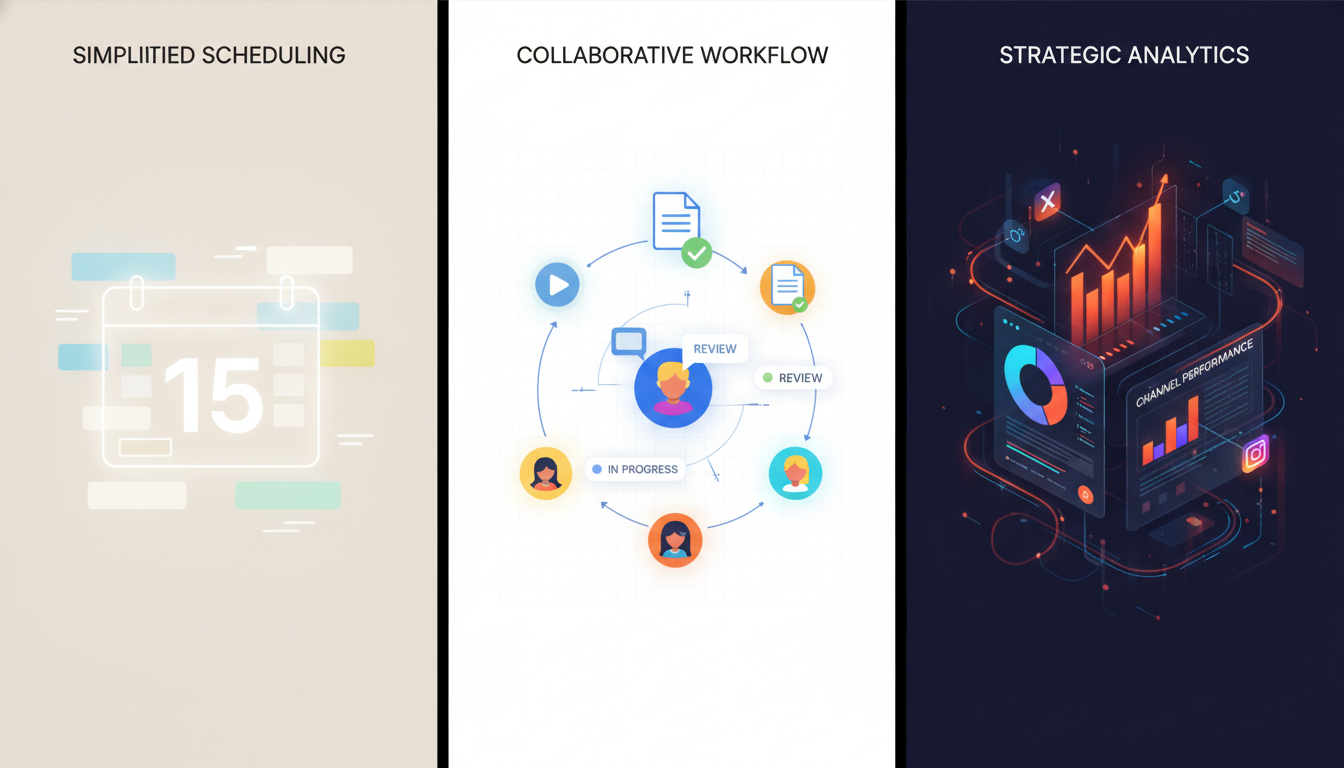
1. Simple calendar tools
A simple calendar tool is best when your main problem is visibility. You need one place to see what is being published, when it goes live, and who owns it. This type of tool works well for a solo marketer, a founder-led team, or a two-person marketing department handling a blog, email, and a social media content calendar.
Its strength is speed. A simple editorial calendar reduces last-minute work by helping you plan content in advance and align it with promotions, holidays, product launches, and campaign deadlines. Its weakness is that strategy often lives somewhere else, usually in a document, spreadsheet, or someone’s head.
2. Workflow-first content planning software
This is the best middle ground for most small business teams. You still get the shared content calendar, but you also get status tracking like draft, in review, approved, scheduled, and published, plus practical team collaboration tools such as comments and assignments.
If your team regularly says things like “Who has this?” or “Is this approved yet?” you are probably in this category. The goal is not more process. The goal is fewer Slack messages, fewer missed deadlines, and a cleaner content workflow.
3. Strategy platforms
A strategy platform goes beyond publishing and workflow. It is built for campaign planning across channels, structured content themes, audience segmentation, approvals, and performance review. This is where content marketing calendar management starts to connect directly to business goals.
Use this category only if your team truly needs it. Strategy-focused software is valuable when content is tied to launches, sales initiatives, lead generation campaigns, or multiple contributors across blog, email, and social. If your team publishes a few recurring pieces each month, it can be too much system for the amount of content you produce.
Which option is right for your team?
The table below is the shortest path to a decision. Read across by team situation, not by feature count.
| Software type | Best for | What you get | Main tradeoff |
|---|---|---|---|
| Simple calendar tool | Solo marketers, founders, very small teams with straightforward publishing | Shared content calendar, due dates, basic scheduling, visibility across channels | Weak strategy support and limited approval structure |
| Workflow-first content planning software | 2–5 person teams juggling drafts, reviews, and multiple contributors | Status tracking, task assignment, comments, approvals, editorial calendar views | May not include strong campaign planning or analytics depth |
| Strategy platform | Teams running campaigns across blog, email, and social with clear performance goals | Campaign planning, audience or theme organization, multi-channel views, analytics, approvals | Higher setup effort and more process overhead |
Here is the practical rule: if content delays come from confusion, choose workflow software. If content delays come from poor prioritization and disconnected campaigns, choose strategy software. If delays come mostly from lack of planning, a simple calendar tool is enough.
Essential features vs optional features for lean teams
Small business buyers often overvalue advanced features and undervalue boring ones. In practice, the boring ones are the difference between a tool the team adopts and one the team abandons after six weeks.
Essential features
- Calendar views: monthly or weekly views for blogs, email, and social posts
- Status tracking: draft, in review, approved, scheduled, published
- Task ownership: clear assignment for writing, design, review, and publishing
- Comments or @mentions: feedback should live with the content item, not in email threads
- Channel labeling: the team should be able to separate blog, newsletter, and social content without opening every card
Optional features
- Advanced analytics dashboards: useful only if the team will review and act on them regularly
- Complex approval routing: often unnecessary for small teams with one final approver
- Deep asset libraries: nice for larger content operations, not essential for a lean marketing calendar
- Custom fields for everything: powerful, but easy to overbuild and hard to maintain
- Sophisticated campaign hierarchy: useful when strategy is mature, distracting when it is not
The clearest sign you need more than a basic calendar is measurement. Teams that want strategy software usually need better visibility into what is actually working, and that gap is common: only 49% of B2B marketers said their organization measures content performance accurately, as noted by Content Marketing Institute’s content measurement findings. If your team already publishes consistently but cannot tell which topics or campaigns drive traffic, engagement, or conversions, a stronger strategy platform becomes easier to justify.
How to choose between a simple calendar tool and a full strategy platform
This is the choice most small business teams struggle with. The easiest way to decide is to look at where your planning breaks down today.
- Choose a simple calendar tool if your process is still mostly linear. One person plans, one person creates, one person publishes. You need visibility and consistency more than strategic architecture.
- Choose workflow-first software if content regularly stalls between creation and approval. This is the sweet spot for many small teams because it solves coordination without forcing a full strategic operating model.
- Choose a strategy platform if every piece of content should connect to a larger campaign. If blog posts, email sends, and social content need to support the same launch, audience segment, or business goal, basic scheduling will feel too shallow.
A useful test is this: if removing analytics and campaign planning from the tool would not hurt your current process, you probably do not need a strategy platform yet. If removing approvals and status tracking would create chaos, you definitely need more than a simple content calendar.
A workable content workflow for a small team without adding overhead
Software does not fix a broken process. It should support a lightweight one. For most small businesses, the best workflow uses five statuses and very few handoffs.
The simplest version that still works
- Planned: topic, channel, owner, due date, campaign or theme
- Draft: content is actively being created
- In review: one reviewer gives feedback in the tool
- Approved: ready to schedule or publish
- Published: live and ready for performance review
That is enough for most teams. Adding separate stages for legal, brand, SEO, design, social adaptation, and stakeholder signoff may sound organized, but for a three-person team it usually creates drag. Keep one final approver. Keep comments in one place. Keep deadlines tied to the actual publish date, not arbitrary internal milestones.
What to avoid
Do not turn your content planning software into a project management maze. If a team member has to update five fields before moving a blog post forward, the tool is working against you. The best setup is visible, repeatable, and hard to misuse. A content workflow should clarify ownership, not document every possible exception.

Best-fit recommendations by scenario
These are editorial recommendations based on the decision criteria above. They are meant to help you pick the right class of software for your situation, not crown one universal winner.
| If your team looks like this | Choose this type | Why |
|---|---|---|
| Founder plus one marketer, publishing basic blog and social content | Simple calendar tool | You need consistency, visibility, and a manageable editorial calendar more than process depth. |
| Small team with writers, designers, or approvers involved every week | Workflow-first content planning software | Status tracking and collaboration will save more time than advanced strategy features. |
| Team running launches, promotions, or multi-channel campaign planning | Strategy platform | You need content tied to goals, themes, channels, and performance review, not just dates on a calendar. |
If you are still torn between the middle and top category, default to the simpler one unless there is a real coordination cost today. Small teams rarely fail because their software lacks enterprise-grade strategy maps. They fail because nobody knows what is due, what is approved, or how content supports the next campaign.
When content calendar software stops being enough for a small business
A plain content calendar stops being enough when the team is no longer asking “What are we publishing next?” and starts asking “Why are we publishing this, for whom, and how will we judge whether it worked?” That shift is the dividing line between scheduling and strategy.
If your team can answer those questions outside the tool and still execute smoothly, stay simple. If those answers are getting lost between spreadsheets, documents, and message threads, move up to software that combines calendar planning with campaign structure, approvals, and analytics. For a small business, the smartest move is usually not to buy the biggest platform. It is to buy the smallest system that reliably supports planning, collaboration, and decision-making.
The right content calendar and strategy software for small business is the one your team will actually use
For most small business teams, the best choice is not a giant content strategy suite. It is workflow-first software with a strong content calendar, clear status tracking, and lightweight collaboration. That is the category that solves the most common small-team problems without adding enterprise-style complexity.
Move to a full strategy platform only when campaign planning and measurement are already becoming operational problems. Until then, prioritize clarity over capability. A shared calendar, a simple approval path, and a disciplined publishing rhythm will take a small team much further than a sophisticated platform that nobody keeps updated.

Related Posts